



















Table of Contents
- • ExtendOffice Review Summary
- • About ExtendOffice
- • Other opinions about ExtendOffice
- • ExtendOffice Productivity Software Overview
- • ExtendOffice Review
- • ExtendOffice Kutools for Excel Review
- • ExtendOffice Office Tab Pro Review
- • ExtendOffice Kutools for Outlook Review
- • ExtendOffice Pros & Cons
- • ExtendOffice Usage and Features
- • ExtendOffice Licensing and Support
- • ExtendOffice Refund Policy
- • ExtendOffice Digital Delivery Information
- • ExtendOffice Warranty
- • ExtendOffice Contact Information
- • Where to buy ExtendOffice?
- • Conclusion of ExtendOffice reviews & ratings
ExtendOffice Review Summary
ExtendOffice develops a suite of productivity add-ins for Microsoft Office applications, aiming to improve workflow efficiency for professionals globally. The software generally offers extensive functionality across Excel, Word, Outlook, PowerPoint, and document tabbing, with a focus on simplifying repetitive tasks. Its performance tends to be positive, though some users may encounter challenges with license management and activation.
Highlights
- Suitable for professionals and office users needing enhanced Office productivity
- Comprehensive suite covering multiple Office applications and languages
- Trade-off includes licensing and activation difficulties for some users
- Balanced overall score: 3.5/5 indicates solid functionality with some limitations
As part of the broader Microsoft Office add-in ecosystem, ExtendOffice competes with other productivity tools that vary in features and pricing. Users looking for integrated add-ins with volume discounts and support might consider this option, while alternatives may better suit those avoiding licensing complexities. Further insights can be found in the ExtendOffice review.
About ExtendOffice
Many professionals spend excessive time on repetitive tasks within Microsoft Office applications. This inefficiency slows workflows and reduces productivity for users managing multiple documents and emails daily.

ExtendOffice offers a suite of add-ins designed to streamline these tasks across Excel, Word, Outlook, PowerPoint, and Office Tab. Positioned as a mid-tier productivity provider, it integrates multiple tools into one package for office users globally.
The company has maintained operations since at least 2009 and provides volume licensing with discounts, multi-language support, and two years of free updates. User feedback highlights significant time savings despite some reported licensing retrieval challenges.
This suite suits professionals needing comprehensive Office enhancements but may present licensing activation hurdles. For detailed user insights and evaluation, see the ExtendOffice review.
Other opinions about ExtendOffice
Opinions and insights gathered from trusted review articles and authoritative websites covering ExtendOffice.
ExtendOffice Productivity Software Overview
ExtendOffice is a software company specializing in productivity add-ins for Microsoft Office applications such as Excel, Word, Outlook, PowerPoint, and Office Tab. The company originates from China and focuses on creating tools that enhance efficiency in common office workflows. Their product suite is available globally through direct online distribution, supporting multiple currencies and languages.
ExtendOffice operates by developing and distributing a range of Office add-ins that automate repetitive tasks, provide tabbed document management, and improve overall productivity for various professional users. Their business model relies on software product sales through their official website with volume licensing options and technical support services. This setup allows users to purchase licenses digitally and receive ongoing updates.
The suite includes core products like Kutools for Excel, Word, Outlook, PowerPoint, and Office Tab Pro, serving individual professionals, office workers, and IT administrators. The company maintains a mid-tier position within the productivity software market, offering compatibility with Microsoft 365 and Office versions from 2007 to 2024. The ExtendOffice review reflects its role as a comprehensive provider of Office workflow enhancements, though some users report challenges with license activation processes.
ExtendOffice Review
ExtendOffice focuses on developing productivity add-ins designed to enhance user experience within Microsoft Office applications. The brand provides tools that aim to reduce repetitive tasks and improve efficiency. Its offerings appeal primarily to professionals who work extensively with Office software.
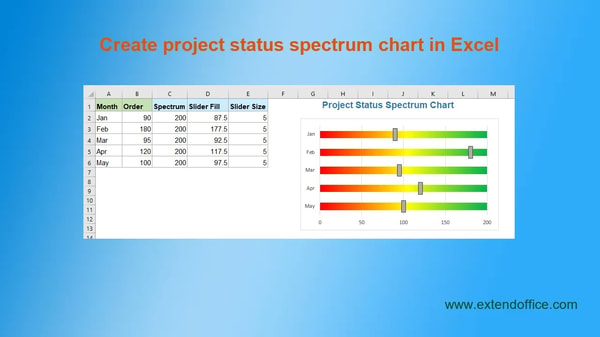
The company delivers a range of add-ins covering Excel, Word, Outlook, PowerPoint, and an integrated tabbed interface for Office documents. These tools are designed to automate workflows, manage multiple documents more easily, and streamline common office activities. ExtendOffice positions itself as a mid-tier provider of complementary productivity software with global reach and support for multiple Office versions.
ExtendOffice Highlights- Comprehensive Office applications support
- Productivity task automation
- Tabbed user interface
- Multi-language compatibility
- Volume licensing options
ExtendOffice Kutools for Excel Review
Kutools for Excel is designed for Excel users such as finance managers and business analysts, aiming to simplify complex spreadsheet tasks and enhance productivity.

This Excel add-in provides over 300 tools to automate and manage data efficiently, targeting professionals who require advanced spreadsheet manipulation capabilities.
The product supports Microsoft Office versions from 2007 to 2024 and Microsoft 365, is priced at 49 USD, and includes two years of free updates along with a 60-day refund policy.
Price $49 • extendoffice.com
ExtendOffice Office Tab Pro Review
Office Tab Pro is designed for users managing multiple documents across Microsoft Office applications such as Word, Excel, and PowerPoint. It provides a tabbed interface to improve navigation and editing efficiency within these programs.

The add-in supports Office versions from 2003 to 2024 as well as Microsoft 365. It enables users to handle several documents in a single window, streamlining workflow management significantly.
Priced at 49 USD, the software includes two years of free updates and comes with a 60-day money-back guarantee. The license allows installation on two computers, catering to professionals who need flexible access across devices.
Price $49 • extendoffice.com
ExtendOffice Kutools for Outlook Review
Kutools for Outlook is a productivity add-in designed to simplify email management within Microsoft Outlook. It offers automation features such as recurring emails, attachment handling, and email summarizing, helping users streamline routine tasks.

The software supports Outlook versions from 2007 through 2024 and Microsoft 365, compatible with both 32-bit and 64-bit editions. It integrates seamlessly into Outlook’s interface, with no significant learning curve reported by users.
Licensing allows activation on up to two computers per user, with two years of free updates and technical support included. While the product offers robust capabilities for professionals managing email workflows, some users may experience challenges with license activation and management.
Price $49 • extendoffice.com
ExtendOffice Pros & Cons
ExtendOffice provides a broad productivity suite compatible with multiple versions of Microsoft Office, including the latest releases up to 2024 and Microsoft 365. It supports a multi-language interface and offers volume discounts, making it suitable for diverse and larger user groups. The package includes two years of free updates and technical support along with a 60-day unconditional money-back guarantee, enhancing its practical value for professionals.
However, some users report difficulties with license retrieval and activation, which may affect the overall user experience. Additionally, the lack of offline purchase options and physical stores could be a limitation for those preferring traditional buying methods. Pricing may also be a consideration for some users when evaluating the suite.
- • Comprehensive productivity suite
- • Support for Office 2007 to 2024 and Microsoft 365
- • Multi-language interface with 44 languages
- • Volume discounts up to 80%
- • Two years free updates and technical support
- • 60-day unconditional money-back guarantee
- • Integration across Excel, Word, Outlook, PowerPoint, and document tabbing
- • Reported difficulties with license retrieval and activation
- • No offline or physical store purchase options
- • Pricing may be high for some users
ExtendOffice Usage and Features
ExtendOffice tools automate repetitive tasks and enhance document management within Microsoft Office applications. The suite provides a tabbed interface to manage multiple documents simultaneously and includes batch processing capabilities. It also offers advanced spreadsheet tools specifically designed for Excel users.
Key features include over 300 tools available in Kutools for Excel, tabbed document navigation via Office Tab Pro, and email automation and batch processing functions for Outlook and Word. The software supports multiple languages and currencies. These features are intended to reduce manual work and improve productivity for professionals handling complex workflows.
ExtendOffice Licensing and Support
Licensing for ExtendOffice products operates on a one-time purchase basis, permitting use on up to two computers per user. Licenses include two years of free updates and technical support, and volume discounts are offered for bulk purchases. Secure checkout options include PayPal and 2Checkout.
Support Structure Highlights
License retrieval is available online and via email support. The company provides a 60-day unconditional money-back guarantee and 24/7 email support for activation, refunds, and technical issues. Users may encounter challenges with license management despite these support resources.
ExtendOffice Refund Policy
Refunds are available within 60 days of purchase with no fees applied for refund requests. Customers can request a refund at any time during this 60-day period without any questions asked. This policy ensures a straightforward and hassle-free refund process. It applies broadly to all licensed products.
There are no specified exclusions within this return policy, meaning it generally covers all licensed items sold. Refunds will be processed upon request within the designated 60-day timeframe. Customers should be aware that the refund terms are unconditional, promoting confidence in purchase decisions. This policy aims to provide a clear and fair approach to returns for all users.
ExtendOffice Digital Delivery Information
Delivery is provided exclusively through digital means, with license keys sent via email immediately after purchase. No physical shipments or stores are involved in the delivery process. Customers can complete purchases online with support for multiple currencies and global availability.
There is no physical tracking for deliveries as products are digital. License keys are accessible instantly upon order completion, eliminating waiting times. No shipping fees or offline purchase options apply to these digital products.
ExtendOffice Warranty
The warranty includes two years of free technical support and software updates for all licensed products. This coverage ensures users receive ongoing assistance and improvements during this period. It applies exclusively to software support and updates provided by the company.
There is no detailed warranty policy available, and the focus is on software support rather than hardware warranties. The warranty terms are linked to the licensing duration and exclude coverage for product misuse or non-software issues. Users seeking help should use the dedicated support channels within the two-year update period.
ExtendOffice Contact Information
Users can reach ExtendOffice support primarily through email for both sales and technical inquiries. Additional help resources are accessible via the official support page on their website.
- Email: [email protected]
- Support Center: Official support page on the website
Contacting support by email is recommended for any questions or issues. Support is available 24/7 via email, although no phone, live chat, or social media support channels are provided.
Where to buy ExtendOffice?
ExtendOffice products are officially available for purchase through their website, where users can manage accounts, access support, and review clear policies to ensure reliable service. Buyers from the United States can expect prompt digital delivery, multilanguage options, and volume licensing discounts via the official platform. While the official site at extendoffice.com provides consistent terms and support, variations may occur on third-party marketplaces or offline channels that are not officially supported, potentially leading to differences in pricing and service experience.
Conclusion of ExtendOffice reviews & ratings
ExtendOffice holds a relevant place in the productivity software category by offering a suite of tools that enhance Microsoft Office applications. Its strengths include multi-application support, a tabbed interface for easier document management, and strong multi-language capabilities, as detailed on extendoffice.com. These features help users streamline routine tasks and improve efficiency.
Those interested can explore the software further while maintaining a practical perspective, knowing that reviews provide balanced insights. You can revisit this ExtendOffice review anytime to assess how well it fits professional needs and workflow preferences.
Editorial notes reflect aggregated buyer feedback and our independent editorial review of publicly available information. They are for informational purposes only and do not constitute endorsements. Purchases are made at your own discretion, and we are not responsible for transactions or outcomes related to this store. Experiences may vary. This content is assisted by AI and reviewed by our editorial team. While we strive for accuracy, AI-supported information may not always be 100% precise, so please verify any critical details.

